Cold Email
Turn cold email into a meeting-generating machine
Create prospecting sequences that get responses. Advanced personalization, email rotation, and complete tracking.
The challenge
What makes cold email work
Fix these points and your prospecting campaigns take off.
- 01
Open rate below 20%
Your emails end up in spam or get skipped. Generic subject lines, poor sender reputation, cold mailboxes.
- 02
Time-consuming manual follow-ups
Follow-ups slip through the cracks or eat hours of copy-pasting. Keeping the pace is a constant struggle.
- 03
Personalization that is hard to scale
Writing a personalized email takes 10 minutes. Multiply that by 1000 prospects.
- 04
Performance in the dark
Which templates work, which prospects are hot, where to optimize: it's all guesswork.
The answer
Cold email that generates responses
The features that make the difference.
-
Multi-step sequences
Create workflows from 3 to 10 emails with custom delays. Conditions based on engagement.
-
Email rotation
Connect multiple email accounts. Beeving uses them in round-robin to maximize deliverability.
-
Dynamic variables
{first_name}, {company}, {industry}... Personalize each email automatically.
-
Advanced tracking
Opens, clicks, replies in real-time. A/B testing of subjects and templates.
How it works
From setup to first replies, in four steps.
Ten minutes of setup. Then it runs every weekday, on its own.
- 01
Connect your mailboxes
Gmail, Outlook or any SMTP/IMAP. A live check before the account is saved, warmup starts the same day.
- 02
Import your contacts
Drop a CSV. Columns map themselves, duplicates and blocklisted addresses are dropped.
- 03
Build the sequence
Email steps, waits and conditions. Start from one of the templates below.
- 04
Replies land, sorted
Every answer comes back to one inbox, filed by intent. Interested goes to you.
Sequences
Cold email sequence templates
Tested workflows with double-digit response rates.
Classic cold email sequence
The proven workflow to book meetings
- 5 steps
- 3 emails
- D+9 span
Multi-channel approach
Combine email and LinkedIn to maximize touchpoints
- 5 steps
- 1 emails
- D+8 span
Inside Beeving
What you will look at every morning.
Open, click and reply rates per campaign, replies filed by intent, and what each mailbox sent today.
-
Campaign summary
Sent, opened, clicked, replied. One line per campaign, live.
-
Replies by intent
Interested, not now, out of office, unsubscribe. Filed on arrival.
-
Sender rotation
What each mailbox sent today, against its own limit.
Playbook
How teams run cold email on Beeving
Three habits behind campaigns that book meetings and keep the domain healthy.
- 01
Warm every mailbox before the first send
A new mailbox starts at 5 emails a day and climbs for three weeks. Beeving runs the warmup conversations and shows the placement score per sender.
Senders · Warmup - 02
One angle per step, three steps minimum
The first email states the problem, the second brings proof, the third asks a yes/no question. Beeving waits between them and skips anyone who replied.
Campaigns · Sequence builder - 03
Judge each step by its reply rate
Opens are noisy. The step report shows which message earned the replies, so you know exactly which one to rewrite.
Campaign · Step performance
Go further
By Industry
Use cases by sector
FAQ
Cold Email FAQ
Everything about email prospecting
How many emails can I send per day?
It depends on your plan and the number of connected email accounts. Each account has its own configurable limit (recommended: 50-100/day for new accounts, up to 200/day for warmed accounts). With 5 accounts, you can send 500-1000 emails/day.
How does email rotation work?
You connect multiple email accounts (SMTP or OAuth). Beeving automatically distributes sends in round-robin. If an account reaches its daily limit, sends switch to other accounts.
Does Beeving warm up new accounts?
Yes, our warm-up system progressively sends emails between accounts in our network, with simulated opens and replies. This builds the reputation of your new domains over 2-4 weeks.
Can I import my existing templates?
Absolutely. Import your templates in HTML or plain text. You can also start from our library of 50+ tested templates and customize them.
The whole platform
One dashboard for all of it
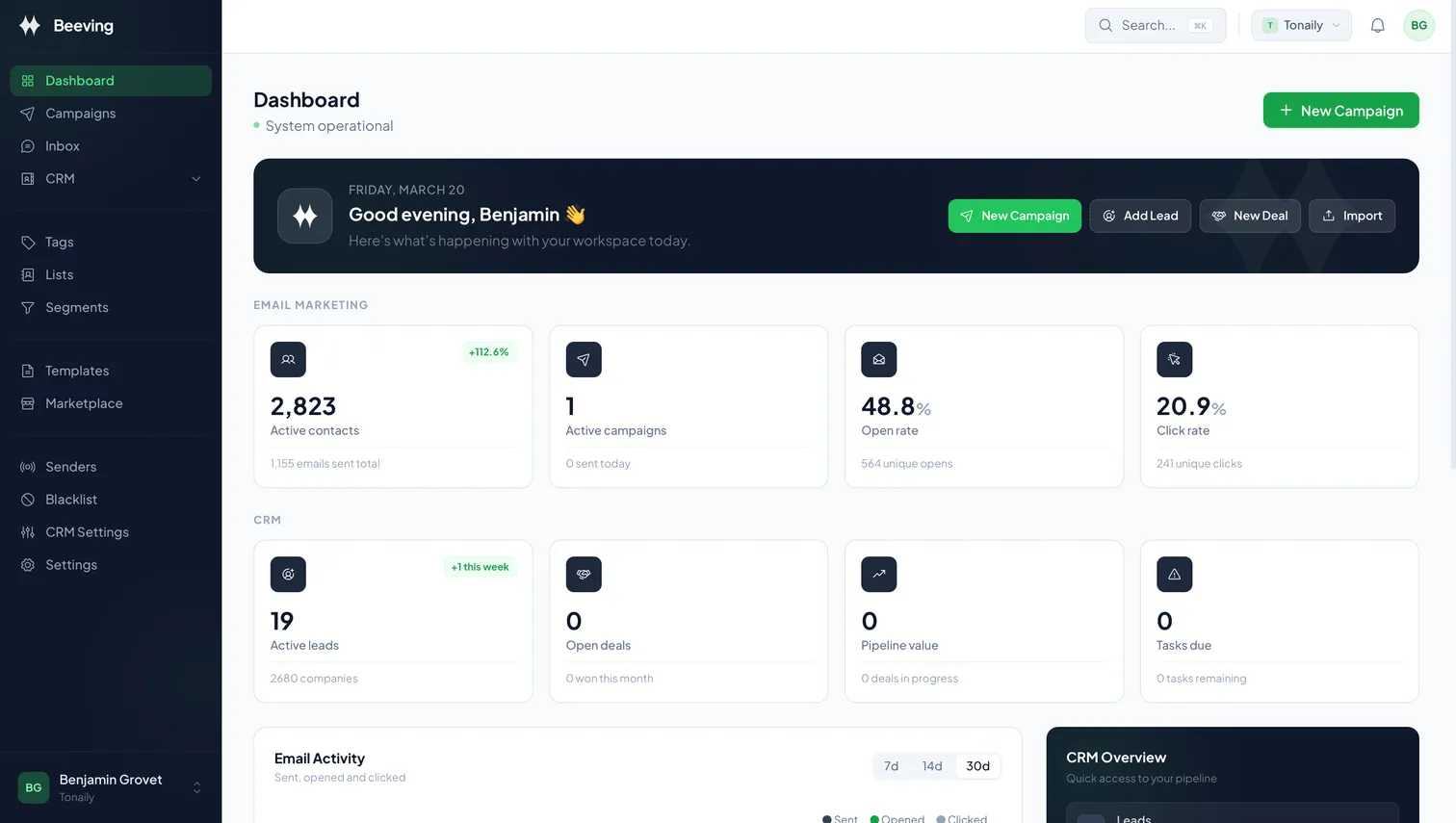
Campaigns, senders, replies and contacts on one screen. This is the real interface, exactly as you will use it.
Free plan · Email-only sign-up